Connect a SIP trunk
Rindee is SIP-native, so any carrier that can send you a SIP trunk works — DIDLogic, VoIP.ms, Voxbeam, your own PBX upstream, and so on. Your numbers stay where they are; Rindee only handles the call leg.
Unlike Telnyx and Twilio, there’s no API to automate the carrier side here. You configure your provider yourself, then add each number to Rindee by hand. Budget 20–30 minutes for the first number and a couple of minutes for each one after.
Before you start
Section titled “Before you start”Your provider needs to support:
- SIP trunking to a destination you specify (hostname or IP).
- TLS transport on the signalling leg. This is required for inbound — see below.
- E.164 number format on both the calling and called party (
+14155551234).
You’ll also need the provider’s own SIP host, which is where Rindee sends outbound calls.
How inbound authentication works
Section titled “How inbound authentication works”Rindee identifies your inbound calls by source IP: you tell Rindee which IP ranges your carrier sends from, and calls from anywhere else are rejected.
Because a source IP is trivially spoofable over UDP, Rindee requires the initial
INVITE to arrive over TLS — completing a TLS handshake from a forged IP isn’t
possible, which is what makes the allowlist meaningful. A non-TLS call to an
IP-authenticated number is rejected with 403 TLS required.
1. Point your trunk at Rindee
Section titled “1. Point your trunk at Rindee”In your provider’s control panel, create or edit the trunk that carries your numbers and set its destination to:
| Setting | Value |
|---|---|
| Host | sip.rindee.ai |
| Port | 5061 |
| Transport | TLS |
Rindee also publishes an SRV record, so providers that resolve SRV can be pointed at
_sips._tcp.sip.rindee.ai instead of a literal host and port.
Trunks already pointed at sip.rindee.dev (or _sips._tcp.sip.rindee.dev) keep
working — both names reach the same SIP endpoint with the same TLS certificate.
Then note the source IP ranges your provider sends SIP from. Most publish these in their documentation as a signalling or SBC IP list. You’ll need them in step 2.
2. Add the provider account in Rindee
Section titled “2. Add the provider account in Rindee”Open Numbers in the sidebar, then Manage Providers → Add Provider, and choose SIP Trunk.
Fill in:
- Label — for your own reference, e.g.
DIDLogic. - SIP Host, Port, Transport — your provider’s edge, not Rindee’s. These are where Rindee sends outbound calls, and they become the defaults for each number you add.
- Provider authenticates inbound by → Source IP.
- Allowed source CIDRs — the ranges from step 1, comma- or newline-separated.
Single addresses go in as
/32, e.g.198.51.100.42/32. Calls from any other IP are rejected.
Press Add Provider.
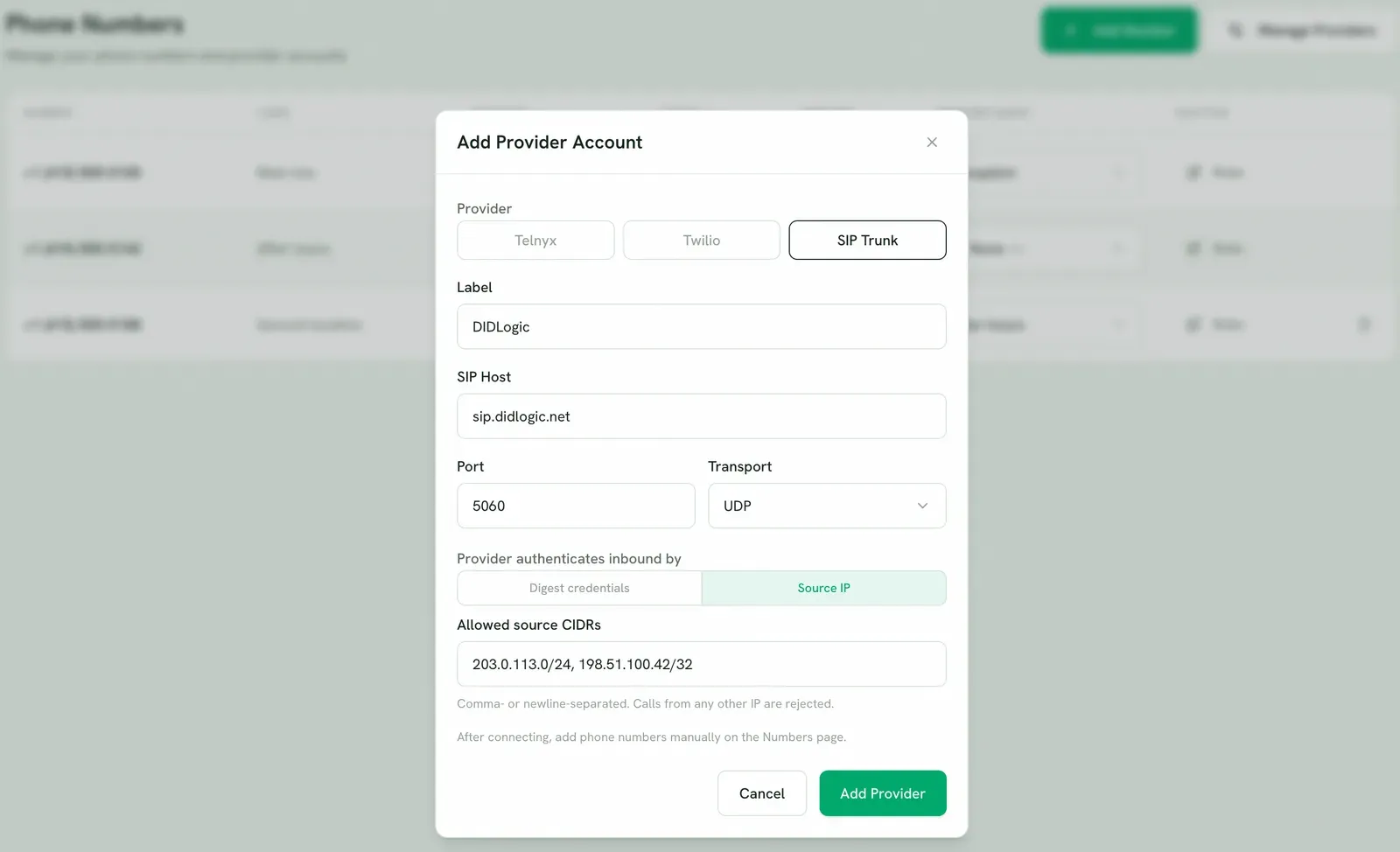
Unlike the Telnyx and Twilio flows, this doesn’t import any numbers — there’s no API to read them from. You add them next.
3. Add each number
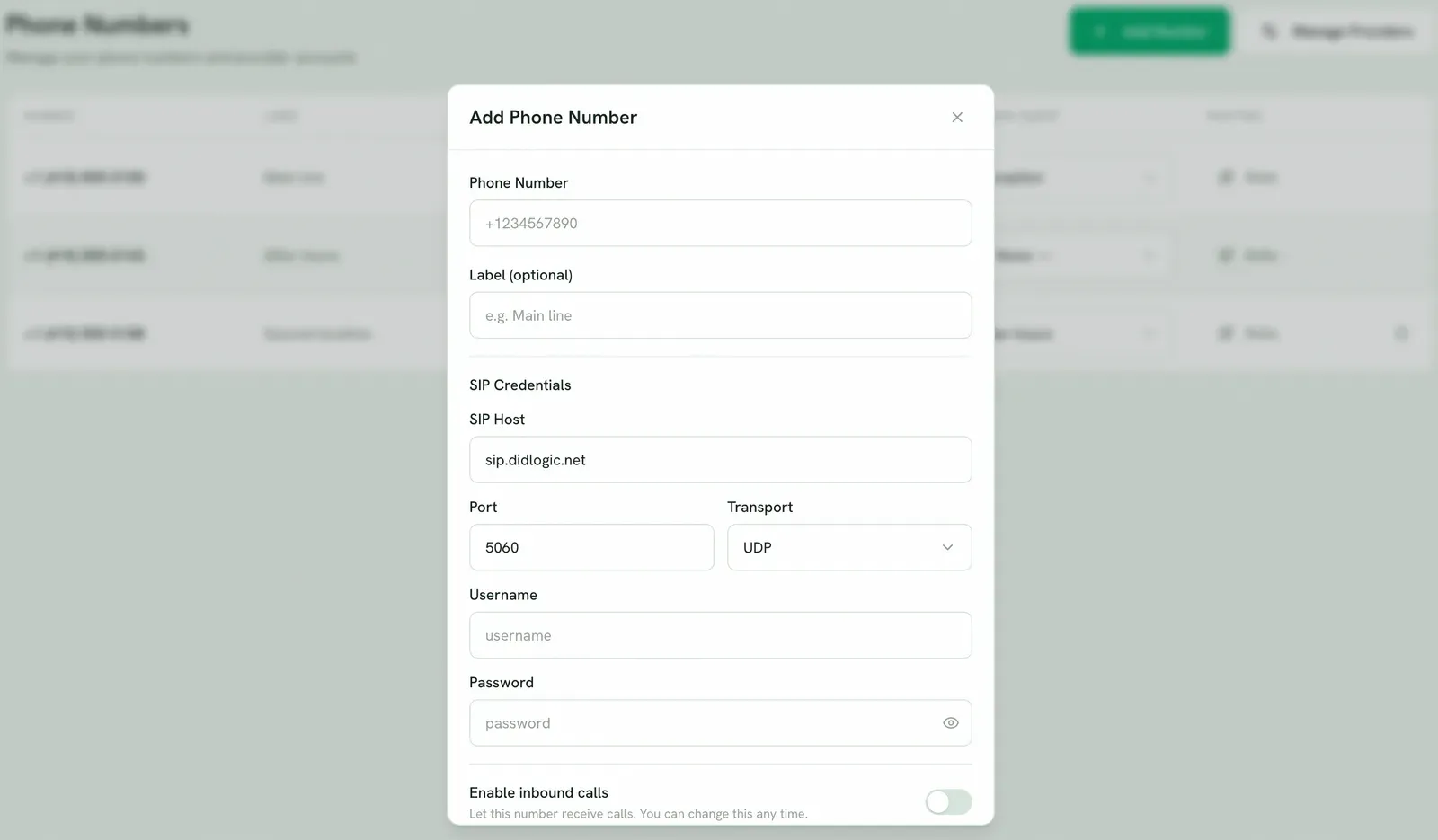
Section titled “3. Add each number”An Add Number button appears on the Numbers page once you have at least one SIP Trunk provider. Press it and fill in:
- Phone Number — E.164, including the
+, e.g.+14155551234. - Label (optional) — e.g.
Main line. - SIP Provider — the account you just created.
- SIP Host, Port, Transport — prefilled from the provider defaults; override if this particular number routes elsewhere.
- Username and Password — the credentials Rindee uses to authenticate its outbound calls to your provider.
- Enable inbound calls — switch this on to let the number receive calls right away, or leave it off and flip it later.
Repeat for each number.
4. Turn inbound on and assign an agent
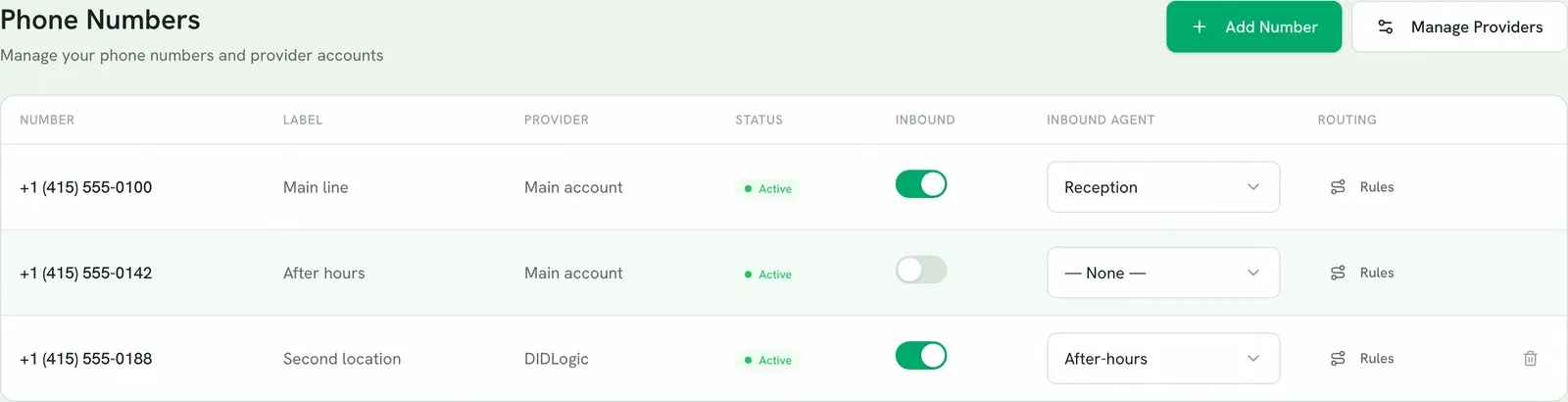
Section titled “4. Turn inbound on and assign an agent”If you left Enable inbound calls off, flip the Inbound switch on the number now. Inbound starts off by default so a number never takes live calls before you’re ready, and turning it off again stops inbound immediately without affecting outbound.
Then pick an agent in the Inbound agent column. One number routes to one agent.
5. Make a test call
Section titled “5. Make a test call”Ring the number from your own phone. The assigned agent should pick up with its greeting.
Troubleshooting
Section titled “Troubleshooting”Calls are rejected with 403 TLS required
The trunk is sending over UDP or TCP. Source-IP authentication requires TLS on port
5061 — see step 1.
Calls are rejected with 403 Forbidden
The source IP isn’t in the allowlist. Compare the IP your provider actually sent
from against the Allowed source CIDRs on the provider account; carriers often
have more egress ranges than their main documentation page lists.
There’s no Add Number button It only renders once the org has a SIP Trunk provider account. Add the provider first (step 2). Telnyx and Twilio accounts don’t enable it — their numbers arrive by sync.
“This phone number is already in use” Numbers are globally unique across Rindee. If you previously removed this number, adding it again restores the original record. Otherwise contact hello@rindee.ai.
Inbound reaches Rindee but no agent answers Check the Inbound toggle is on and an Inbound agent is assigned. A number with inbound on but no agent has nothing to hand the call to.
Outbound calls fail authentication The Username/Password on the number don’t match what your provider expects for the trunk. These are the outbound credentials; edit the number to correct them.
Related
Section titled “Related”- Connect Telnyx — automated via API key.
- Connect Twilio — automated via Account SID and Auth Token.